In-home nursing operations
Accessible Scheduling
Dynamic nurse scheduling that balances each client’s care requirements with each staff member’s availability, qualifications, and workload.
Accessible Scheduling helps administrators generate, assign, release, and update complex schedules for in-home care. What once required slow, error-prone manual work can be completed for an entire month in minutes.
Accessible Scheduling helps administrators generate, assign, release, and update complex schedules for in-home care. What once required slow, error-prone manual work can be completed for an entire month in minutes.
A complete scheduling picture
Care needs and staff needs belong in the same decision.
The schedule is only successful when every client receives appropriate care and every nurse receives a workable, accurate assignment. Accessible Scheduling models both sides before it creates a single match.
Client-defined care
Every client can ask for what they need.
Flexible recurrence
- Language capabilities such as ASL
- Specialized training and certifications
- Location or service-area requirements
- Environmental needs, allergies, and preferences
- Custom requirements added as regulations and care needs evolve
Staff-defined work
Every nurse can define a sustainable schedule.
MinimumNeeded hours
MaximumDesired limit
- Available days and precise working hours
- Minimum, maximum, and requested overtime hours
- Call-offs, inactivity, and temporary unavailability
- Credentials, certifications, and service areas
- Preferred clients and other configurable requests
Two clicks, two hard problems
Generate the work. Then find the best people for it.
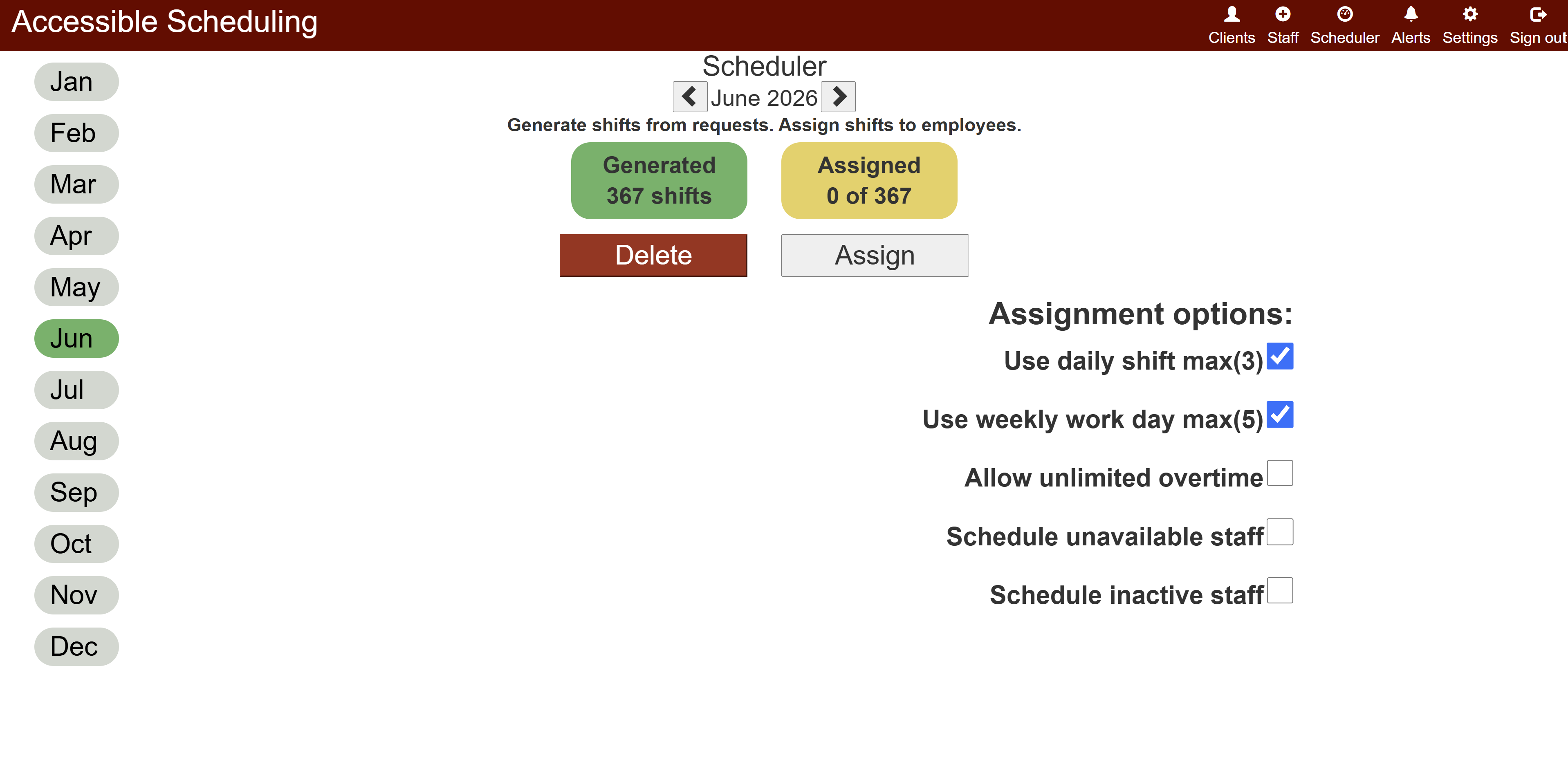
Shift generation expands recurring requests into the actual shifts needed across the schedule period. Assignment then evaluates the full combination of care needs, staff qualifications, workload targets, travel feasibility, and availability. A dynamic simulated-annealing strategy works through the most constrained needs first, then improves the full schedule as more flexible matches become available.
Define the scheduling model
Set up clients, staff, care needs, qualifications, availability, hour targets, locations, and scheduling policies.
Generate shifts
Turn daily, alternating, monthly, and custom client requests into a complete calendar.
Evaluate compatibility
Filter for credentials, custom requirements, availability, location, and viable travel time.
Balance workloads
Work toward minimum hours, stay below desired maximums, and limit unnecessary overtime.
Review and release
Let administrators validate the result and choose when the month becomes visible to staff.
Adjust and communicate
Respond to changing coverage by reassigning staff, adding shifts, recording call-offs, and notifying everyone affected.
Decision support
Useful answers at one-shift and whole-schedule scale.
Administrators can make an informed manual assignment or ask the engine to consider every need across the month at once.
Who is qualified?
See who meets every required credential and configurable client condition.
Who needs hours?
Identify staff furthest from minimum targets or with fewer future opportunities.
Who reaches overtime?
Know when an assignment exceeds preferred hours and minimize overtime where possible.
Who can get there?
Prevent impossible back-to-back assignments across town with no travel window.
Administrator control
Automation follows policy. It does not replace judgment.
Administrators decide how aggressively the system schedules, when exceptions are appropriate, and when staff should receive the finished plan.
Communication, identity, and access
Published schedules stay current and visible to the right people.
New assignments and call-offs reach affected staff within 60 seconds, keeping everyone’s view accurate to the minute. Google account-based sign-up provides familiar authentication, while role-based controls limit schedules, staff data, and administrative actions to the people responsible for them.
Integrated identity
Google account sign-up
Use an existing Google identity for a straightforward registration and sign-in experience.
Staff access
Personal schedule visibility
Staff can access the assignments and details relevant to their own work.
Lead access
Managed-team visibility
Team leads can coordinate the staff they manage without receiving unrestricted system access.
Administrator access
Scheduling and policy control
Administrators can manage people, requirements, generation, assignment, release, and exceptions.
Enterprise-level quality
Tested from isolated logic through integrated application behavior.
A comprehensive JUnit suite covers the major scheduling, assignment, communication, security, and data workflows so critical behavior is verified before deployment.
Unit-test coverage
Focused JUnit tests prove individual managers, services, rules, and scheduling functions in isolation.
Integration coverage
Integration tests exercise the major workflows across application layers, validating that the complete system works together.
Mockito and simulated REST
Mockito, mocked collaborators, and simulated REST calls verify expected responses, edge cases, and failure behavior without fragile external dependencies.
Deployment confidence
Repeatable automated tests catch regressions early, make changes safer, and provide confidence that each release will behave reliably in production.
Application architecture
Layered for change. Engineered for reliable delivery.
Accessible Scheduling separates presentation, business logic, persistence, security, and deployment concerns so each layer can evolve without destabilizing the whole system.
Angular front end
The browser client turns complex scheduling workflows into focused views for staff, leads, and administrators.
Spring back end
Spring controllers, managers, workers, and repositories keep API handling separate from scheduling and domain logic.
MongoDB persistence
MongoDB repositories persist clients, staff, requests, shifts, schedule status, sessions, and configurable domain data.
Development data and backups
An in-memory profile supports fast local development and testing, while deployed data uses MongoDB with external backups for recovery.
Safe releases across environments
Security boundary
Spring Security, Google authentication, and RBAC
Spring Security establishes the application security layer. Google identity tokens are validated and represented by managed sessions, while role-based authorization checks enforce user, manager, and administrator access at protected operations.

The result
Less scheduling friction. Earlier answers. More reliable care.
Accessible Scheduling replaces tedious manual assignment with a fast, configurable process that helps administrators respond to change and gives nurses accurate schedules earlier than manual planning allows.